 Legion AI
Platform · Appointment Booking
AI Appointment Booking on Your Calendar
Legion books qualified appointments straight into your calendar during a call or text conversation — no back-and-forth, no scheduling links buried in email threads.
Product in action
From qualification to a calendar event
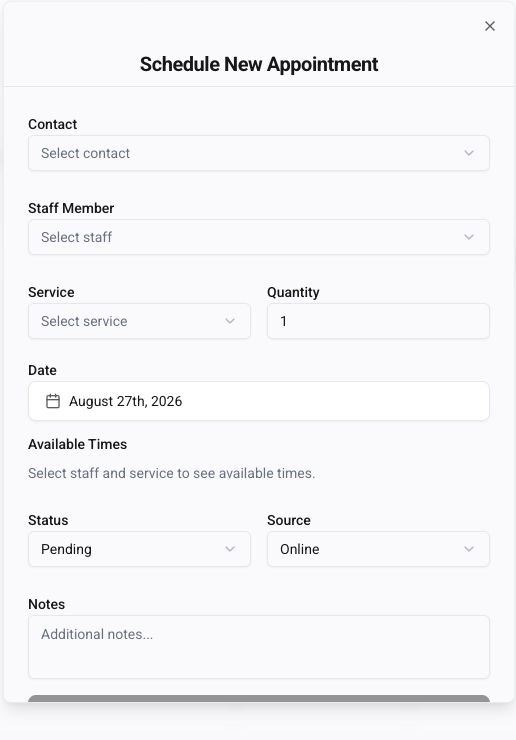
Choose the contact, staff member, service, and next available time before creating the appointment.
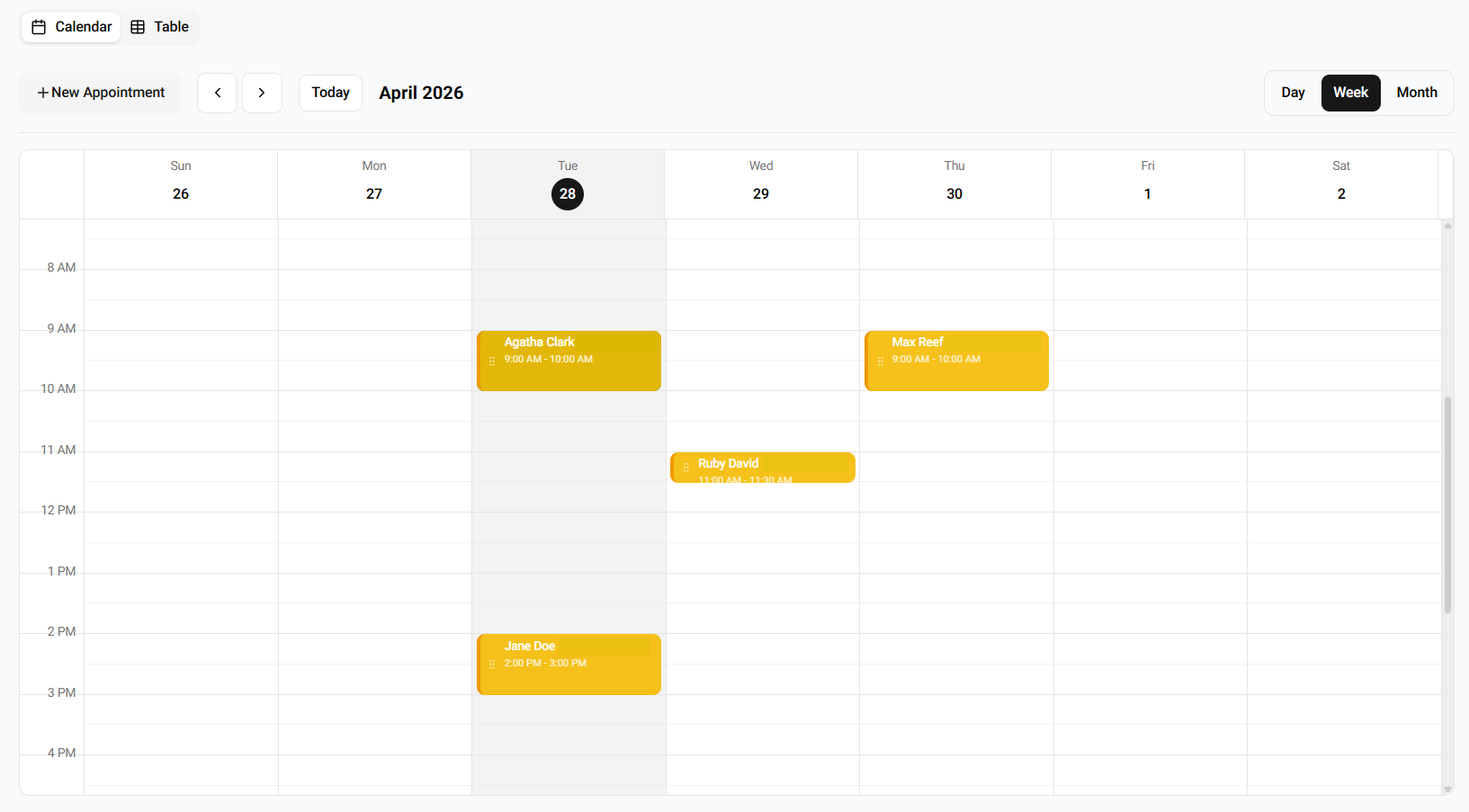
Illustrative demo schedule showing the team’s booking calendar alongside manual and automated appointments.
The problem: booking friction kills conversion
Every extra step between 'interested' and 'on the calendar' loses prospects. Sending a booking link, waiting for a reply, or asking staff to coordinate slots drops the conversion rate on already-warm leads.
How it works
Live availability check
Reads real-time availability from the connected calendar or scheduling system before offering slots.
Qualification before booking
Applies your rules — service type, insurance, budget, zip code — so only qualified prospects take a slot.
Books during the conversation
Confirms the slot on the call or in the SMS thread, then writes it to the calendar and sends confirmations.
Reminders and no-show handling
Sends confirmation and reminder messages, and re-engages no-shows automatically.
Supported inputs
- Voice conversations with the AI agent
- SMS and email replies
- Web chat
- Manual staff booking on the same shared calendar
Example workflow
- 1A prospect asks 'what's your soonest opening?' by text.
- 2Legion checks the provider calendar and returns three real slots.
- 3The prospect picks one; Legion asks any qualifying questions.
- 4The slot is written to the calendar with the contact's details.
- 5A confirmation and a 24-hour reminder are scheduled.
Business outcome
Businesses reduce lead-to-appointment time from days to minutes and reduce no-shows by pairing instant booking with automated reminders.
Human controls
- • Which calendars, service types, and providers are bookable
- • Buffer times, working hours, and blackout dates
- • Qualification rules that must pass before a slot is offered
- • Reminder and confirmation copy and timing
- • Manual reschedule and override at any point
Limitations
- • Requires a supported calendar or scheduling system
- • Provider-specific rules (e.g. paired procedures) must be configured before launch
- • Real-time double-booking prevention depends on the source calendar's API
Related industries
Related capabilities
Implementation resources
Understand the complete workflow from lead intent to confirmation and follow-up.
27-test implementation checklistTurn the workflow into launch requirements, acceptance tests, and clear ownership.
Booking link vs. conversational bookingChoose the simplest booking experience that can handle your qualification and routing rules.
Appointment-booking buyer's guideCompare booking pages, team routing, API-first platforms, vertical systems, and conversational layers.
Revenue scenario calculatorModel eligible leads, lead-to-paying-customer rates, and first-purchase revenue with your own assumptions.
Frequently asked questions
- Which calendars are supported?
- Confirm the exact calendar or scheduling system, write-back behavior, and multi-provider rules during workflow review. A named provider or a generic webhook is not proof that a particular deployment is ready.
- How does it avoid double-booking?
- It writes to the source calendar in real time and re-checks availability at the moment of confirmation, so parallel bookings by staff are respected.
- Can it enforce qualification rules?
- Yes. You define what a qualified appointment looks like — service type, budget, zip code, insurance — and slots are only offered to prospects who pass.
- What about reminders and no-shows?
- Confirmation and reminder messages are automatic. No-shows can trigger a follow-up call or text with reschedule options.